

Cannot Add Site
Introduction
This guide provides solutions for common errors that may arise when adding a site to AAArdvark. If these steps don’t resolve your issue, our support team is here to help.
Error messages include:
- “The entered URL could not be reached.”
- “example.com is not a valid URL.”
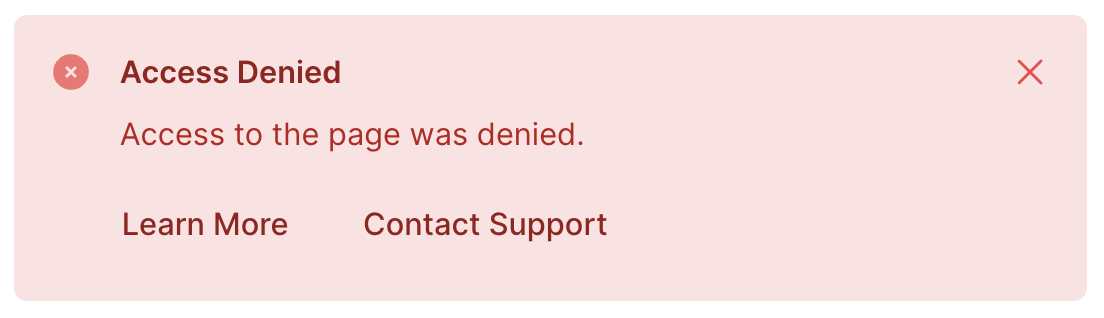
- “Access Denied: Access to the page was denied”
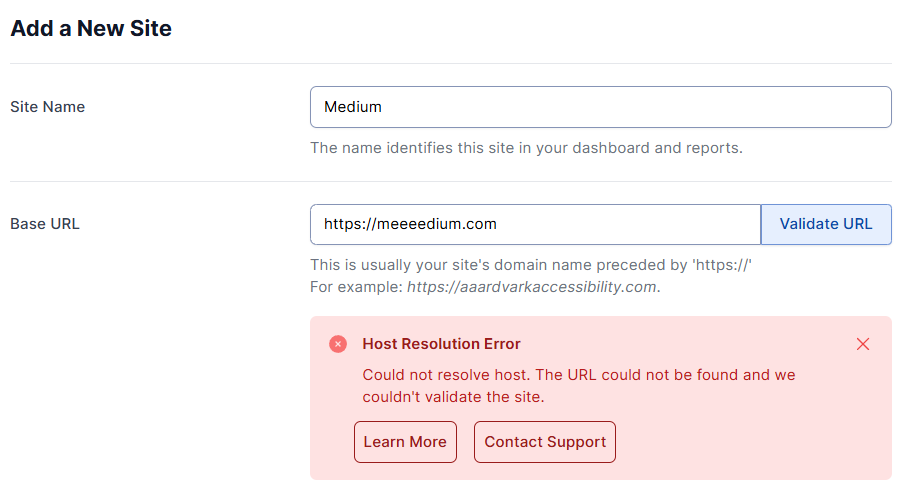
URL or Site Could Not Be Reached
If you encounter the following errors:
- ‘The entered URL could not be reached’
- ‘Host Resolution Error’
- ‘Connection Failed’
- ‘SSL/TLS Connection Error’
- ‘Empty Response’
- ‘Connection Interrupted’
- ‘Invalid SSL Certificate’
Then follow these troubleshooting steps:
- Check for typos:
Ensure the domain name is spelled correctly, with no missing extensions. - Verify server status:
Open the URL in a browser to confirm the site is live. If it’s down, contact your hosting provider. - Avoid server overload:
Ensure your server isn’t overloaded with requests or processes that make it unresponsive. - Resolve DNS issues:
Confirm the URL points to a live, registered domain. AAArdvark cannot scan locally hosted sites. - Check page availability:
Make sure the page exists and hasn’t been moved or deleted. - Check the site’s SSL certificate:
Ensure the site has a valid SSL certificate.
URL Is Not Valid
If you encounter the error ‘[your site] is not a valid URL,’ try these solutions:
- Check for Invalid Characters:
Remove spaces or unsupported symbols from the URL. - Ensure Proper Formatting:
Follow the format: “https:// + domain + top-level domain (e.g., .com, .org).” - Use HTTPS Protocol:
Verify that the URL uses the HTTPS protocol for secure access.
Examples of invalid URLs:
- https://example…com – Contains extra dots before the top-level domain.
- https://ex amp le.com – Includes spaces, which are not allowed in URLs.
- https://example – Missing a top-level domain (e.g., .com or .org).
Access Denied or Request Timeout
The error ‘Access Denied: Access to the page was denied’ or ‘Request Timeout: The site took too long to respond and validation could not complete’ typically occurs when your site’s security settings block bot traffic.
To resolve this, follow our guide on allowlisting AAArdvark requests.
Workspace Limit Reached
When the workspace limit is reached, you cannot add any more sites to your workspace. To resolve this, the workspace will need to be upgraded.
Related Guides
-
AAArdvarkBot Information
-
Access Denied – Whitelist IP Address or Header
-
Page Scan Failed
-
Site Scan Failed